
Harmony uses ARIA snapshots instead of the DOM. Aria snapshots provide a YAML representation of the accessibility tree of a page. These snapshots can be stored and compared later to verify if the page structure remains consistent or meets defined expectations.
For AI-powered test implementation, everything happens in the same way, except that instead of a tester, the AI performs the test steps:
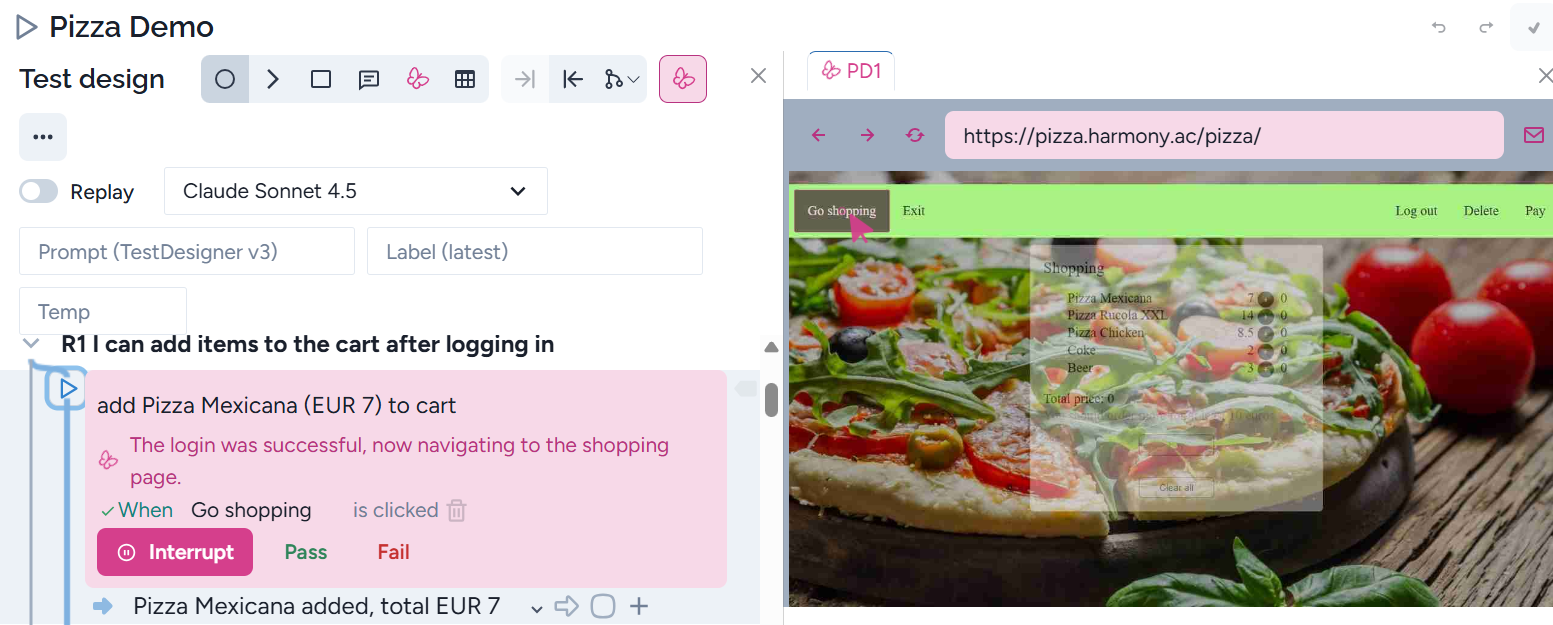
In the case of any problems, the tester can click on ‘Interrupt’ and replace the AI. When you have executed the necessary steps, press ‘Done’:
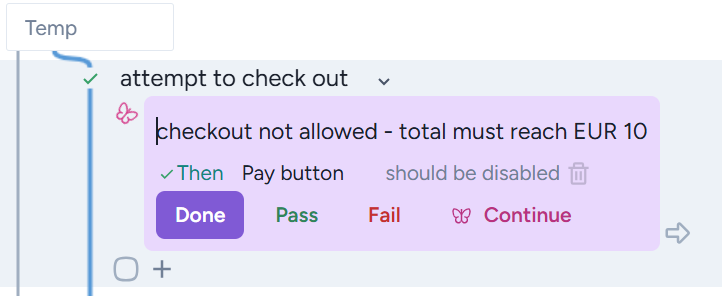
From here, the AI will continue implementing the test steps again.
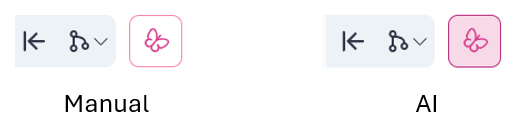
The tester can set between AI and self implementaion, by pressing the AI (butterfly) icon:
Adding know-how for AI
AI has no background knowledge; it doesn’t know how to interpret a command, request, or validation, such as open the model menu, if opening the menu requires Shift + F10. There is a special place where you can insert any required information.
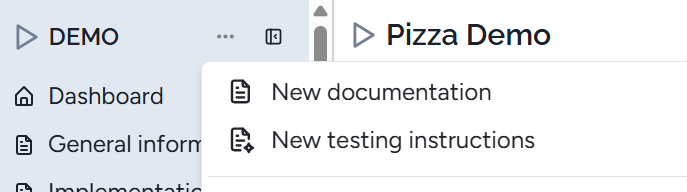
Select New testing instructions, add a name such as ‘AI implementation context’, and you can add any necessary information for AI. The necessary information can be gained during the test implementation. If AI cannot perform an action or response, you know what is necessary for the AI, and add it. For example, when testing the ISTQB glossary application, when some attributes have been modified and the modification has been applied, the response was to validate the modified attribute settings. AI cannot do this; therefore, we added:
When an attribute setting has been saved, to check that it has been saved, you need to open it again and validate that the modified checkboxes are modified. After validation, the window must be closed.
You can add more instruction documents.
Tips and tricks
- Instead of manual test implementation, train the AI to know it. It will be very efficient during maintenance as AI can do the maintenance without any intervention from the tester.
- When for the first execution, AI fails as a selector is missing, there are two cases:
- The same step has been implemented, but the context of this one is different. The solution is to add a different name to this step and let AI implement it again
- The start state is different here. You can insert the appropriate step(s) before this one.
- Sometimes AI cannot find the solution and just waits and waits. Let’s interrupt and try to help AI. For example, it cannot find an icon that becomes visible after hovering the mouse over it. Add some help in the AI implementation context, for example,
- Hover the mouse to the left of the step until the "Make fork" icon is visible
- Click on the icon
- Test design usually doesn’t contain input data. You can take them into this context file.
Example
R1 Before any shopping, customers can log in.
Model:
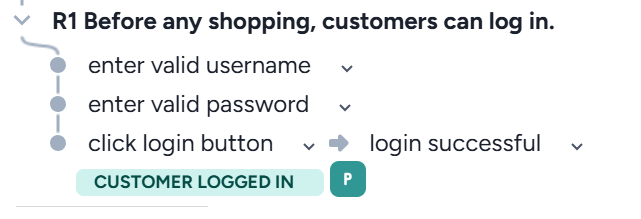
Instruction in the implementation context file:
Input data
feature 'Pizza log in'
username: Smith, password: 2a4b6c.